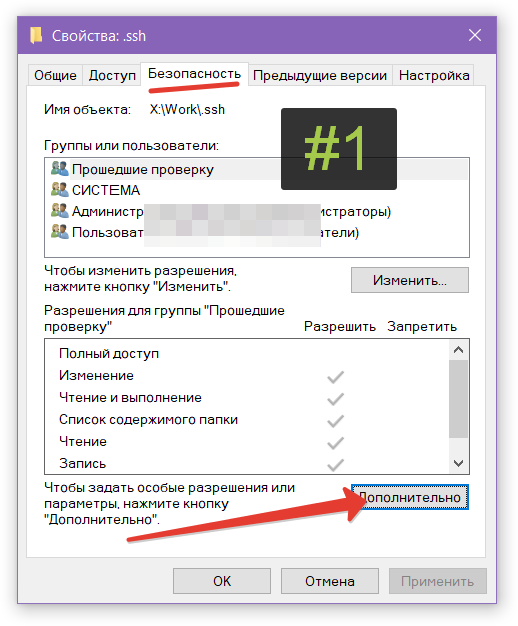
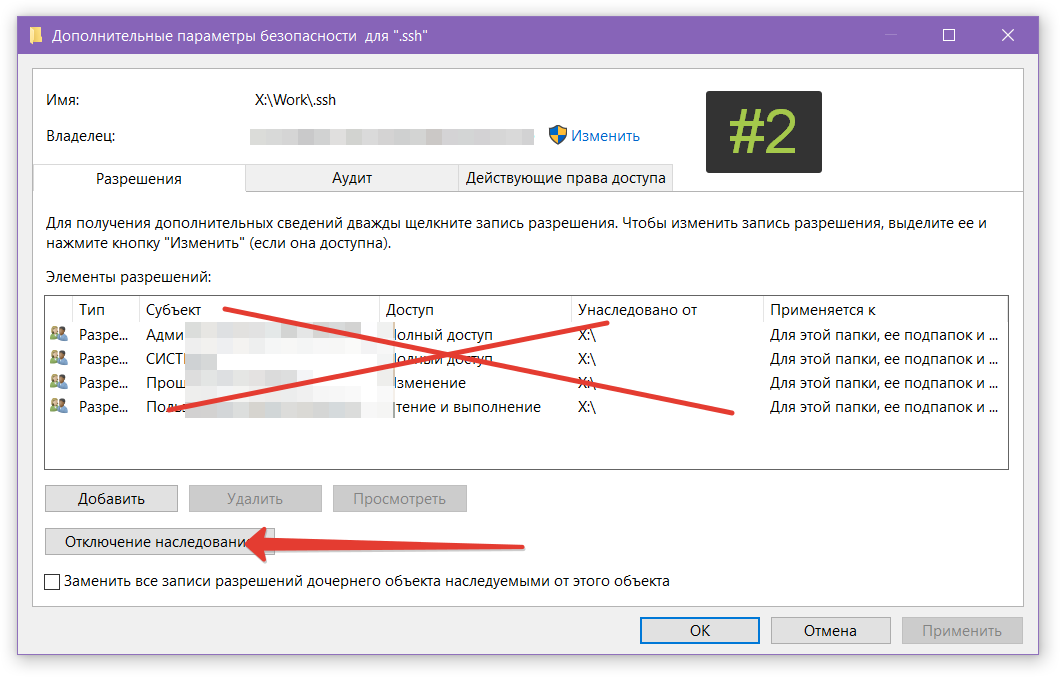
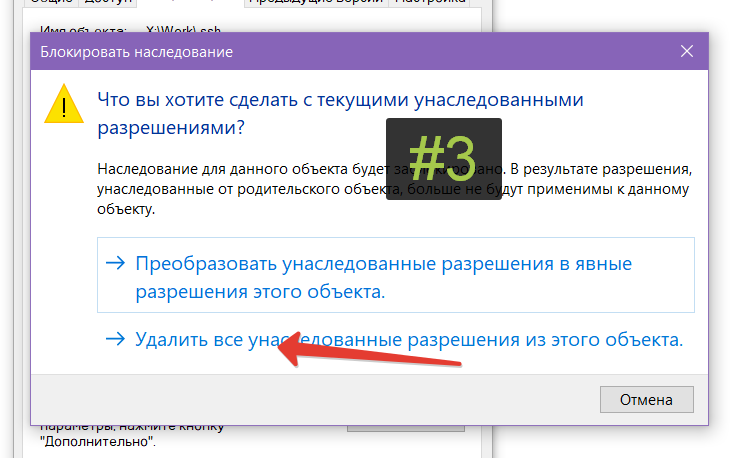
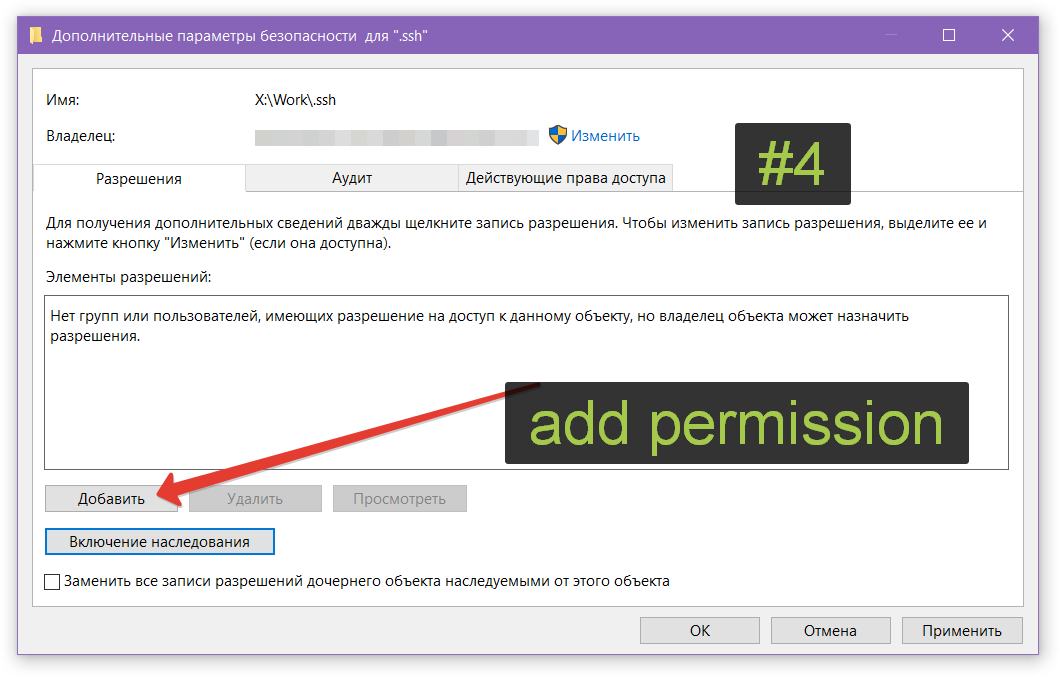
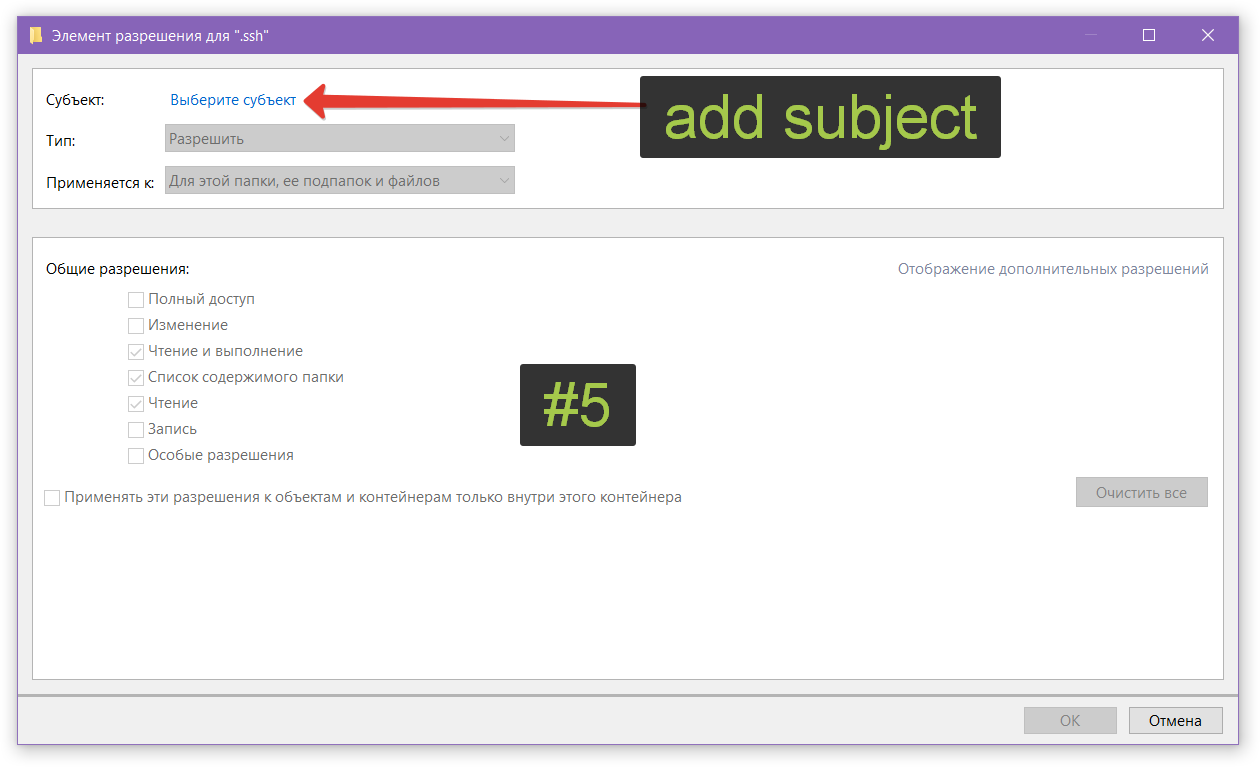
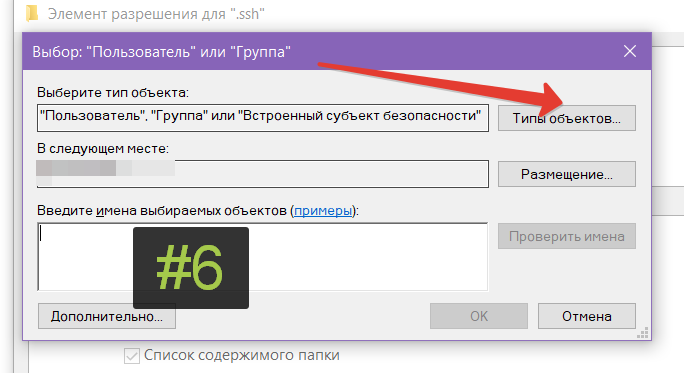
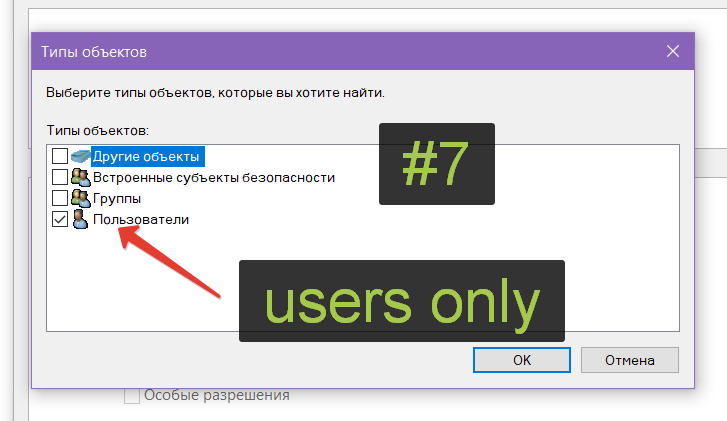
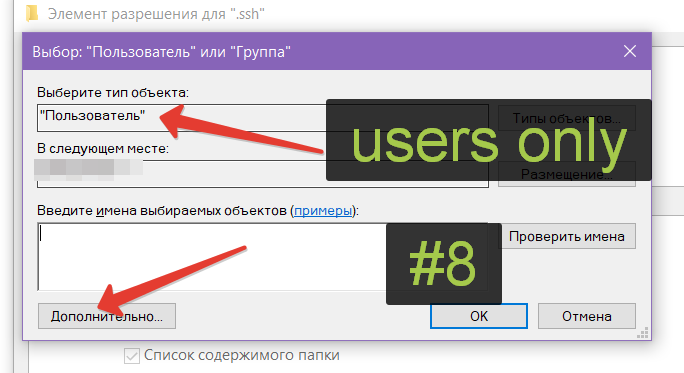
Issue: you're trying to add your ssh key in powershell, and see this ssh-add X:\Work\.ssh\wired-mind @@@@@@@@@@@@@@@@@@@@@@@@@@@@@@@@@@@@@@@@@@@@@@@@@@@...
ssh-add X:\Work\.ssh\wired-mind

@@@@@@@@@@@@@@@@@@@@@@@@@@@@@@@@@@@@@@@@@@@@@@@@@@@@@@@@@@@
@         WARNING: UNPROTECTED PRIVATE KEY FILE!          @
@@@@@@@@@@@@@@@@@@@@@@@@@@@@@@@@@@@@@@@@@@@@@@@@@@@@@@@@@@@
Permissions for 'X:\\Work\\.ssh\\wired-mind' are too open.
It is required that your private key files are NOT accessible by others.
This private key will be ignored.
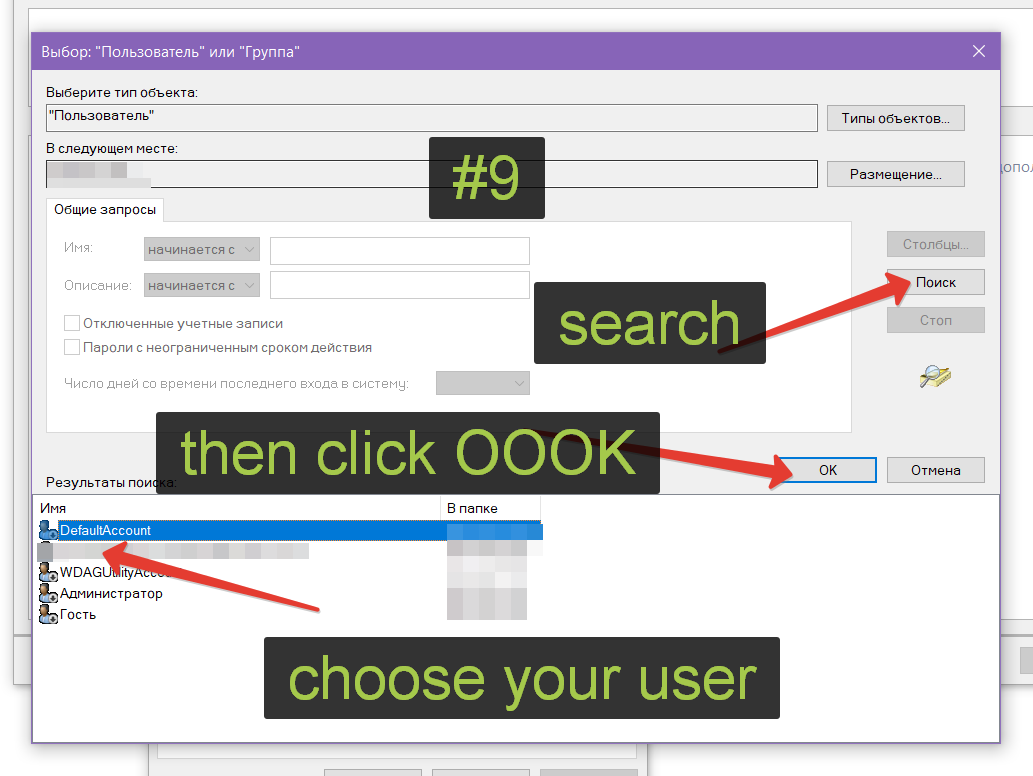
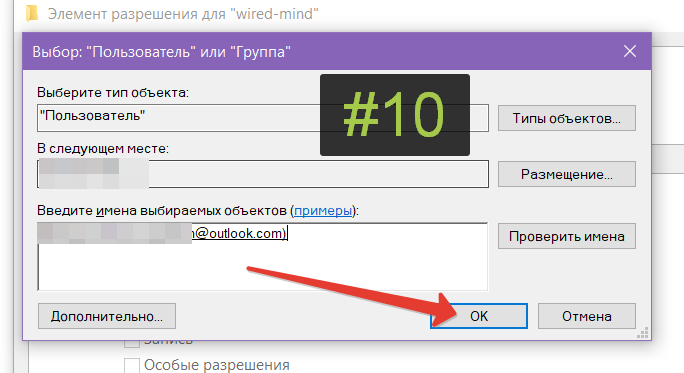
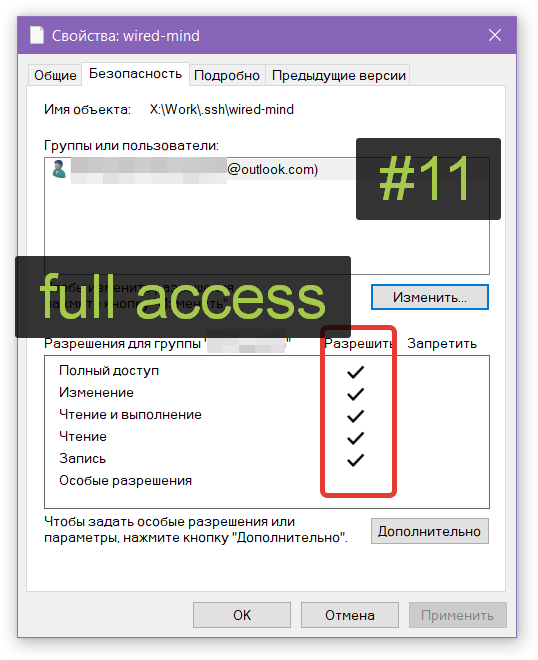
Then click ok, ok, OK, OOK, untill you see this. Only your current user with full access.


One more Click OK, please. Now you done. That's why I love chmod ;)
# start
Start-Service ssh-agent

# check service status
Get-Service ssh-agent

# stop (admin permissions needed)
Stop-Service ssh-agent